
Auto reply in WhatsApp Plus answers your messages automatically while you work, sleep, or drive. Contacts receive your custom response instantly, and no message ever feels ignored again. This beginner tutorial covers the complete setup with every option explained in plain words.
The official WhatsApp locks this feature inside its separate Business app only. The mod gives it to every user for free with even more control. Ten minutes with this guide sets up your personal assistant forever.
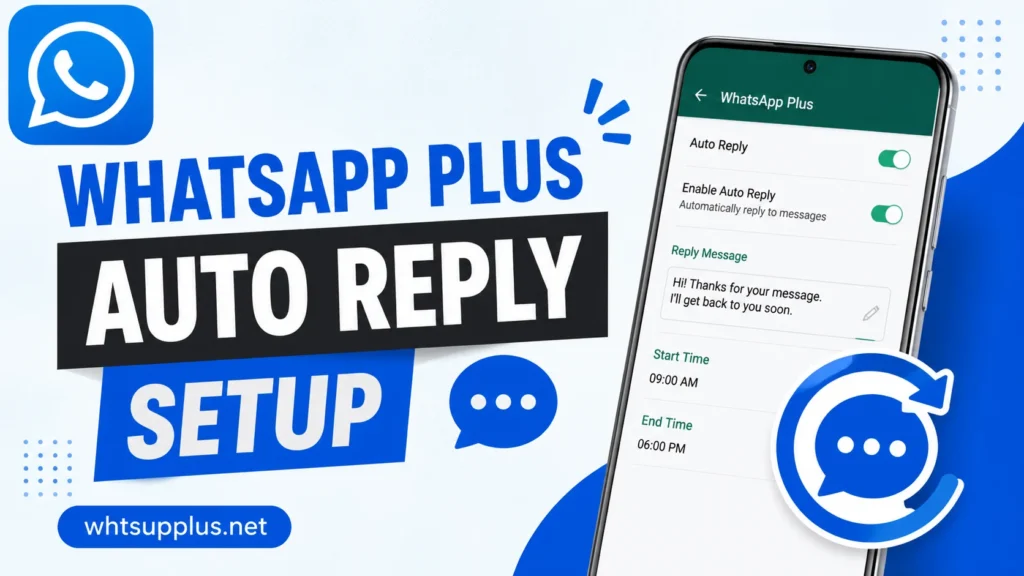
Quick Answer
Open WhatsApp Plus, tap the three-dot menu, and select Auto Reply from the list. Write your automatic message, choose which contacts trigger it, set your active hours, and save. The app then answers incoming messages instantly with your custom text.
What Is Auto Reply?
Auto reply is an automation tool that sends preset responses to incoming messages. The app detects new chats and fires your saved reply without any action from you. Different rules can serve different contacts, times, and situations.
The tool suits far more than business use. Busy parents, students in class, drivers, and night sleepers all benefit daily. Your contacts stay informed while your attention stays where it belongs.
How to Set Up Auto Reply Step by Step
The first rule takes about two minutes to create. Follow these steps on the current v18.80 build.
- Open WhatsApp Plus on your phone
- Tap the three-dot menu at the top
- Select Auto Reply from the dropdown list
- Tap the plus button to create a new rule
- Write your reply message in the text box
- Choose the trigger contacts, either everyone or a custom list
- Set the active schedule with start and end times
- Save the rule and toggle it on
The rule activates immediately after saving. Test it from a second number to see your automation in action.
Auto Reply Options Explained
Reply Message Types
Plain text covers most needs, but the tool accepts more formats. Emojis, multi-line messages, and longer explanations all work inside replies. Keep messages short and friendly for the best contact experience.
Contact Targeting
Rules can cover everyone, specific contacts, or everyone except a list. Work contacts can receive a professional reply while family receives a casual one. Separate rules run side by side without conflict.
Schedule Control
Active hours limit each rule to chosen time windows. A sleep rule can run from midnight to seven, and a work rule from nine to five. Rules outside their windows stay silent automatically.
Reply Delay
A custom delay makes automatic responses feel more natural. A thirty-second gap reads like a human reply rather than a robot. Instant replies work fine too for clear business messages.
Best Auto Reply Message Examples
Ready-made examples speed up your first setup. Copy and adjust any message below for your own rules.
- Work hours: I am in a meeting right now and will reply after 5 PM. Thanks for your patience!
- Driving: I am driving at the moment and will respond once I arrive safely.
- Sleep: I am offline for the night and will reply in the morning. Good night!
- Business: Thanks for your message! Our team replies within one hour during business days.
- Vacation: I am on holiday until Monday with limited access. I will reply when I return.
Honest and clear messages work better than clever ones. Contacts appreciate knowing exactly when to expect your real reply.
Common Auto Reply Problems and Fixes
Replies Not Sending
Battery optimization blocks background automation on many phones. Disable optimization for WhatsApp Plus in your phone settings, and replies fire reliably. This single fix solves most reported failures.
Reply Sent to Wrong Contacts
Overlapping rules cause unexpected replies in some setups. Review your active rules and tighten the contact lists on each one. One clear rule beats three conflicting ones every time.
Reply Loop With Another Bot
Two auto reply systems can answer each other endlessly. Add a reply limit per contact in the rule settings to break loops. The limit option stops repeat replies within your chosen time frame.
Does Auto Reply Cause Ban Risk?
Personal auto replies carry no special ban risk beyond normal mod use. The feature answers your real contacts at natural volumes. Mass unsolicited messaging is the only behavior that endangers accounts anywhere.
Keep rules personal and volumes human for complete safety. Update the app from a trusted source like Whtsupplus.net, and the tool stays worry-free. Millions of users run daily auto replies without incident.
Final Thoughts
Auto reply turns WhatsApp Plus v18.80 into a polite assistant that never lets a contact feel ignored. Work, sleep, and travel no longer create awkward silence in your chats. The free access beats the official Business-only restriction by miles.
Set your first rule with the steps above, and refine it over a week of real use. Get the newest build at Whtsupplus.net if your version lacks the full options. Your messages now answer themselves, exactly the way you want.
Frequently Asked Questions
Yes, the feature costs nothing for every user. No business account or subscription is required. Full options unlock from the first installation.
Yes, multiple rules target different contacts with unique messages. Work, family, and friends can each receive tailored replies. Rules run together without conflicts.
Yes, rules can include or exclude groups by your choice. Group replies suit announcements but can feel spammy in active chats. Most users limit automation to private messages.
No label marks automatic replies in any way. A natural message with a small delay reads as human. Honest wording like a meeting notice removes any confusion.
Yes, both tools run independently at the same time. Auto reply handles incoming messages while the scheduler handles outgoing ones. Together they automate your entire messaging routine.