
Ghost mode is the single most requested privacy feature in WhatsApp Plus, and for good reason. The feature makes you completely invisible while you read, type, and browse the app freely. This guide shows you exactly how to enable ghost mode, what it hides, and how to use it wisely in 2026.
Many users know the feature exists but never find the right settings to activate it. The steps below work on the latest v18.80 build and take under one minute to complete. Follow along, and your online presence disappears today.
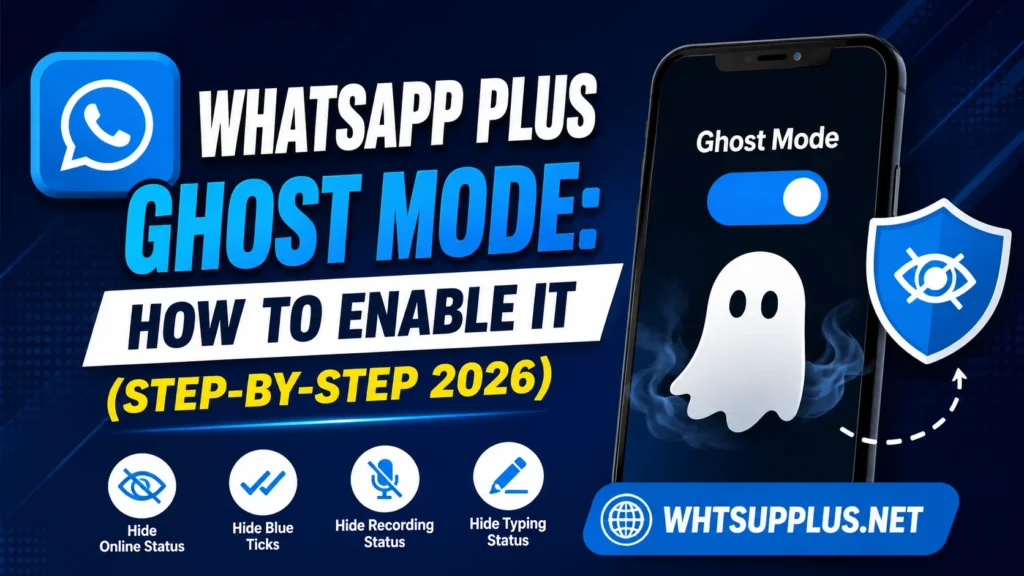
Quick Answer
Open WhatsApp Plus, tap the ghost icon at the top of the main screen, and select the privacy options you want hidden. Ghost mode activates instantly and hides your online status, typing indicator, blue ticks, and last seen together. One more tap on the icon turns everything back to normal.
What Is Ghost Mode in WhatsApp Plus?
Ghost mode is a master privacy switch that hides every visible sign of your activity at once. Contacts see no online status while you chat, no typing indicator while you write, and no blue ticks after you read. The feature bundles multiple privacy settings into one instant toggle.
The official WhatsApp offers nothing close to this level of invisibility. Its settings hide some indicators but always leave gaps in your privacy shield. Ghost mode closes every gap simultaneously, which explains its massive popularity.
What Ghost Mode Hides
The feature covers every activity signal the app normally broadcasts. The full list below shows exactly what your contacts stop seeing.
- Online status stays hidden even while you actively use the app
- Last seen freezes or disappears based on your settings
- Blue ticks never appear after you read any message
- Second tick delivery confirmation can also stay hidden
- Typing indicator vanishes while you compose messages
- Recording indicator disappears during voice note creation
- Status views leave no trace when you watch updates
Every item toggles individually inside the ghost settings. You control exactly how invisible you want to be at any moment.
How to Enable Ghost Mode Step by Step
The activation process takes less than a minute on any current build. Follow these exact steps in order.
- Open WhatsApp Plus on your Android phone
- Look at the top bar of the main chat screen
- Tap the small ghost icon next to the search button
- Select the privacy options you want active from the list
- Confirm your choices and return to the chat screen
- Check the ghost icon color, which changes when the mode is active
The icon acts as your permanent status indicator. A quick glance tells you whether ghost mode currently protects you.
How to Customize Ghost Mode Settings
Access the Deep Settings
Deeper control lives inside the main settings menu of the app. Open the three-dot menu, choose Plus Settings, and enter the Privacy section. Every ghost-related toggle appears here with clear labels.
Set Per-Feature Rules
Each privacy element accepts its own on or off state. You can hide blue ticks while keeping your online status visible, or reverse that combination freely. Mixed setups suit users who want partial rather than total invisibility.
Apply Contact Exceptions
Current builds allow different visibility rules for specific contacts in some settings. Your close family can see your true status while everyone else sees nothing. This granular control turns ghost mode from a blunt tool into a precise one.
When Ghost Mode Helps Most
The feature solves real daily problems rather than just satisfying curiosity. Common situations below show its practical value.
- Busy workdays when you must read messages without reply pressure
- Group chats where you want updates without visible participation
- Status browsing when you prefer private viewing habits
- Late-night reading without broadcasting your awake hours
- Personal space from contacts who track your online patterns
Privacy is a normal human need, not a suspicious behavior. Ghost mode simply returns control that the official app took away.
Important Limits to Understand
Ghost mode hides indicators but never blocks message delivery. Your messages still send instantly, and incoming chats still arrive with notifications. The feature changes what others see, not how the app functions.
Replies also break part of the illusion naturally. A contact who receives your instant reply knows you are active regardless of hidden indicators. Smart users pair ghost mode with natural reply timing for full effect.
Ghost Mode and Ban Risk
The feature itself triggers no known ban risk beyond normal mod use. Privacy settings operate locally and do not spam or abuse the network in any way. The general mod ban risk exists independently of which features you enable.
Safe habits still apply to every WhatsApp Plus user. Update promptly through a trusted source like Whtsupplus.net, keep backups, and avoid bulk messaging behavior. Ghost mode fits comfortably inside those safe boundaries.
Troubleshooting Ghost Mode Problems
Icon Missing From Main Screen
Old versions hide or lack the ghost icon entirely. Update to the latest v18.80 build, and the icon appears in its standard top-bar position. The newest release also fixed icon display bugs from earlier builds.
Settings Not Saving
A corrupted cache sometimes resets privacy choices after restart. Clear the app cache from your phone settings and reapply your ghost preferences. The fix takes one minute and holds permanently afterward.
Contacts Still See My Status
Mixed settings cause most of these reports rather than actual failures. Open the ghost settings and confirm every toggle matches your intention. Per-contact exceptions can also override your global rules silently.
Final Thoughts
Ghost mode remains the crown jewel of WhatsApp Plus privacy features in 2026. One tap grants complete invisibility that official app users can only wish for. The setup takes a minute, and the daily benefit lasts forever.
Grab the latest build from Whtsupplus.net if your version lacks the full ghost toolkit. Enable the mode with the steps above, and enjoy messaging entirely on your own terms. Your online presence belongs to you again.
Frequently Asked Questions
Yes, the default ghost settings hide your activity from all contacts at once. Per-contact exceptions let you stay visible to chosen people. You control the exact scope from the privacy settings.
No direct notification reveals your ghost settings to anyone. Observant contacts might guess from your permanent offline appearance. The app itself never exposes your privacy choices.
Yes, all ghost protections apply inside groups exactly as in private chats. Your typing, reading, and online status stay hidden from every member. Group admins receive no special visibility either.
No, message delivery works normally with every ghost setting active. The mode only hides activity indicators from other users. Your chats function at full speed throughout.
No, the official app offers no comparable full invisibility feature. Its privacy settings cover only partial indicator control. Ghost mode remains exclusive to mods like WhatsApp Plus.